
TALK-to-TASKS User Guides

How-to Invite and Manage Users

In this guide, you will learn how to invite users to Groups or Channels and manage user permissions.

1 Invite Users to Group or Channel

To invite users, click the invite button next to the channel or group you wish to add them to.
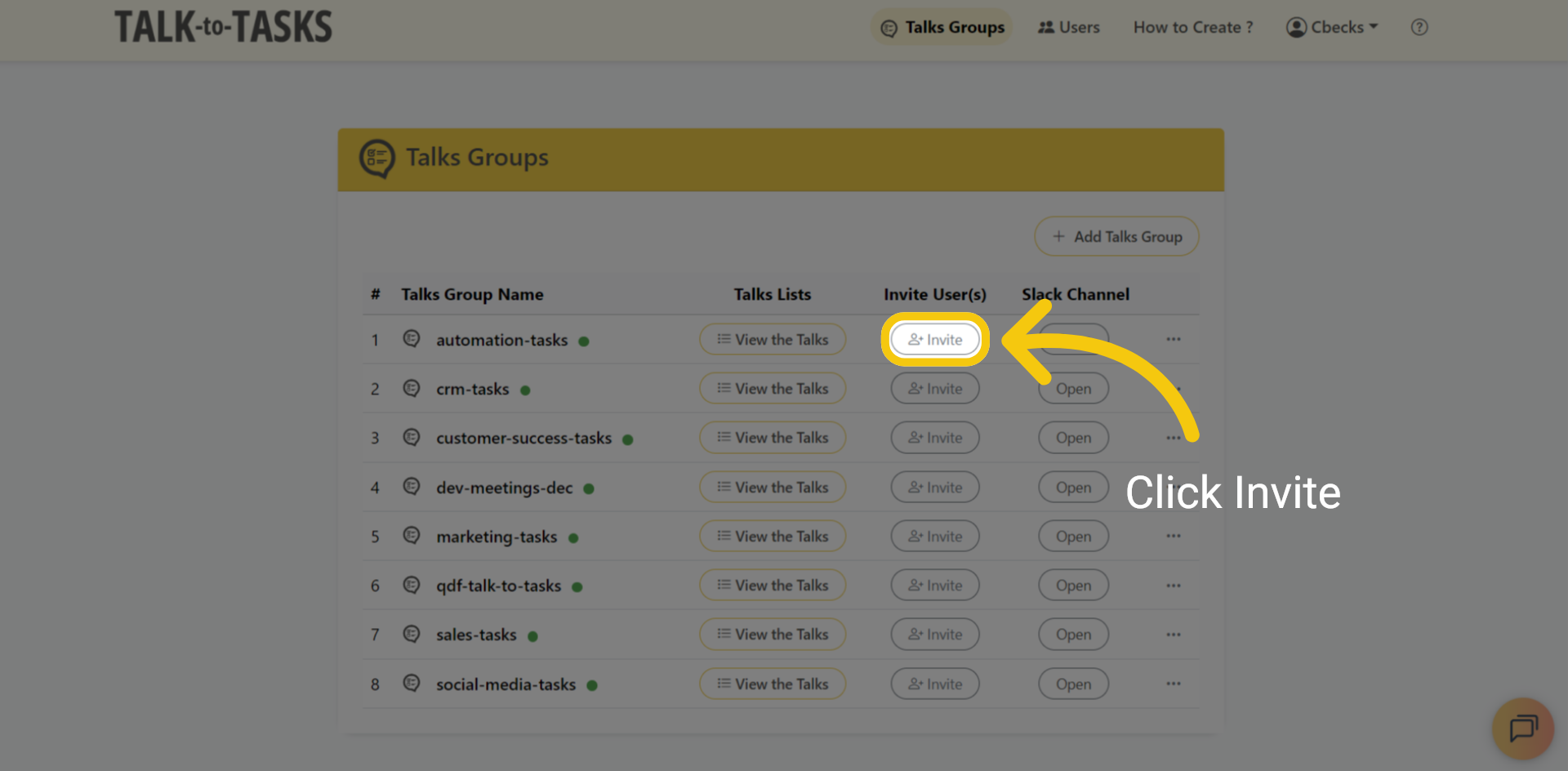
Invite Users to Group or Channel

2 Existing Users

You can choose the user you would like to grant group access to, then click Send Invite.
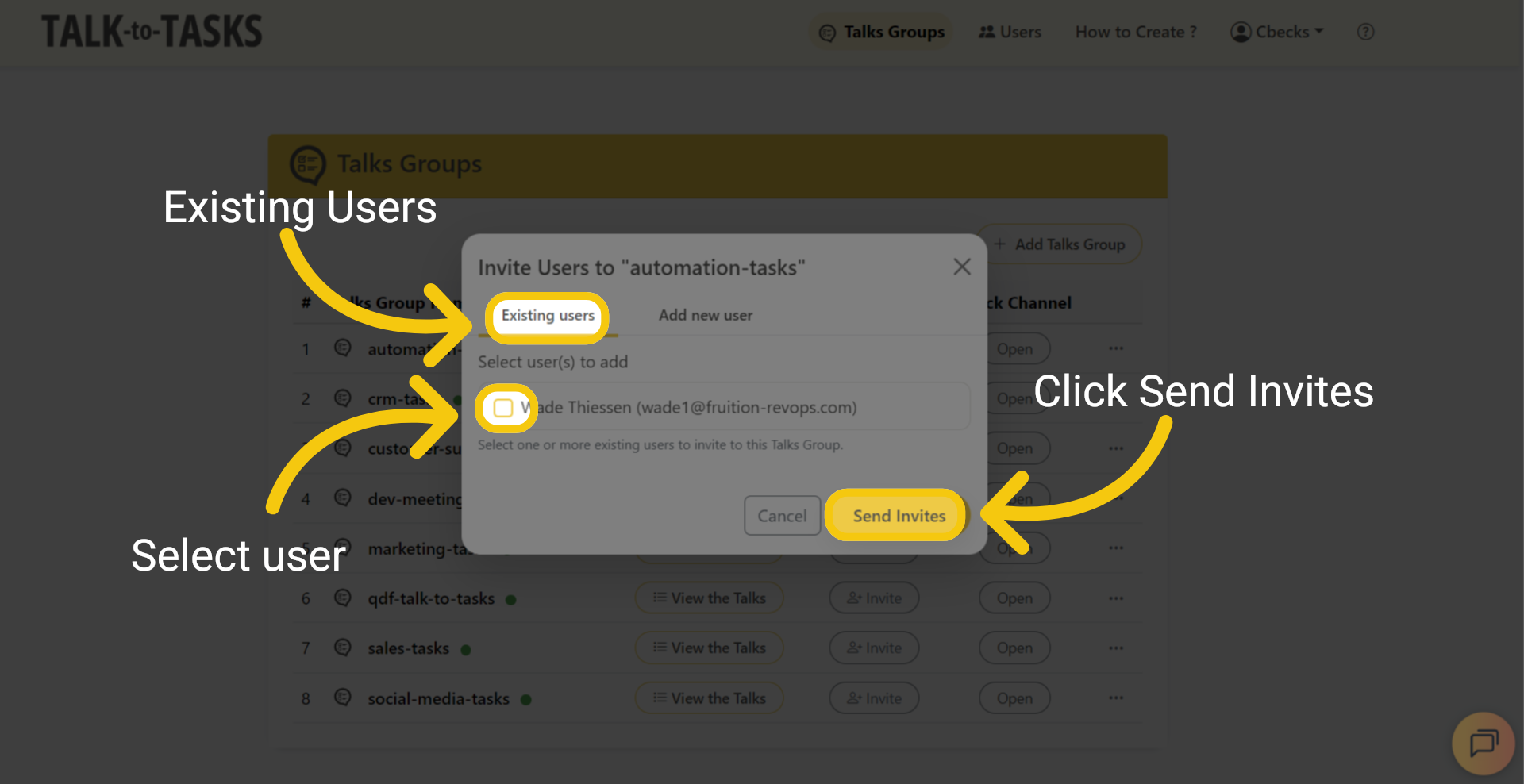
Existing Users

3 Existing Users

Enter the user information, select a role, and then click Add and Invite.
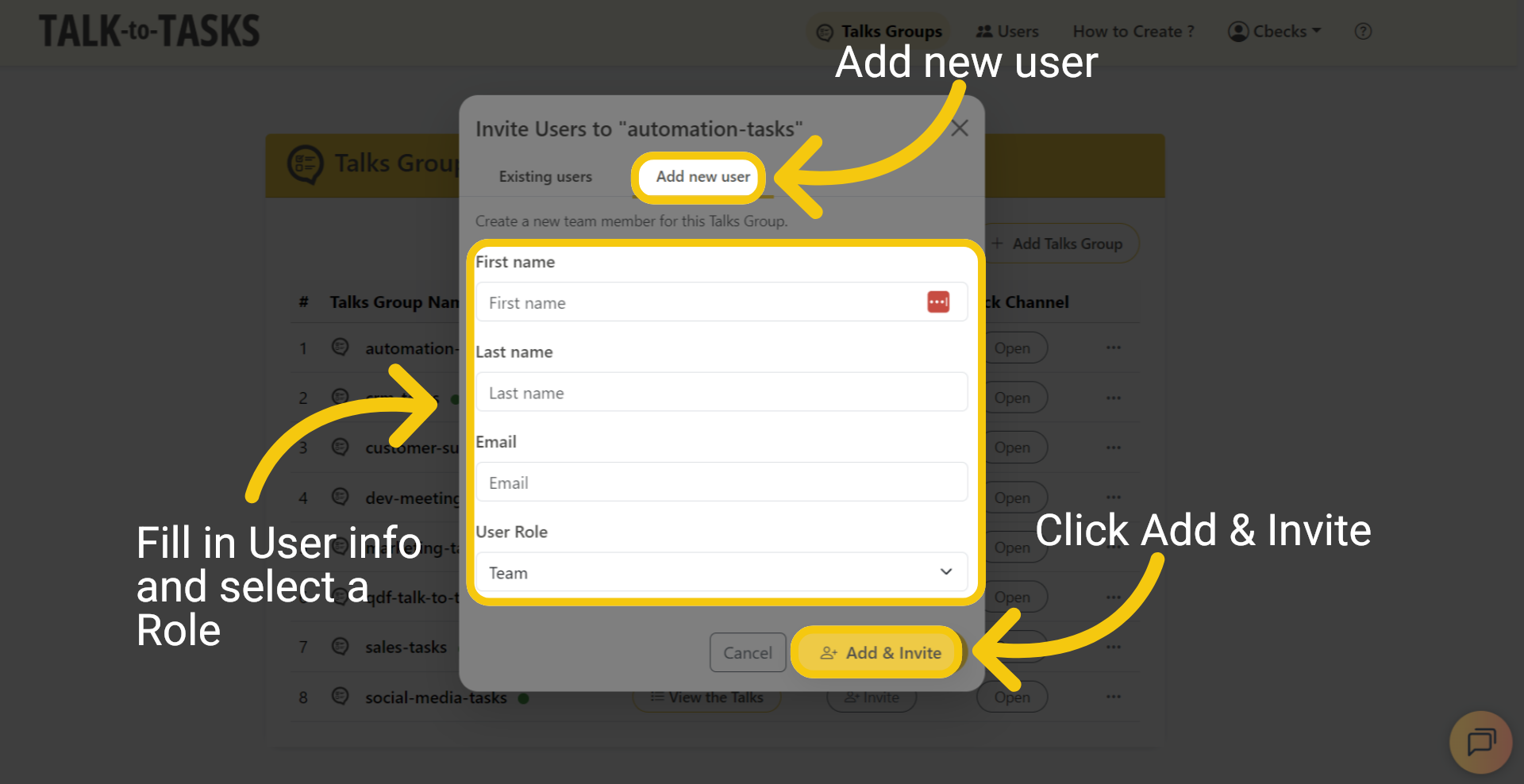
Existing Users

4 Manage Users

To manage your users, go to the Users menu at the top of the page.
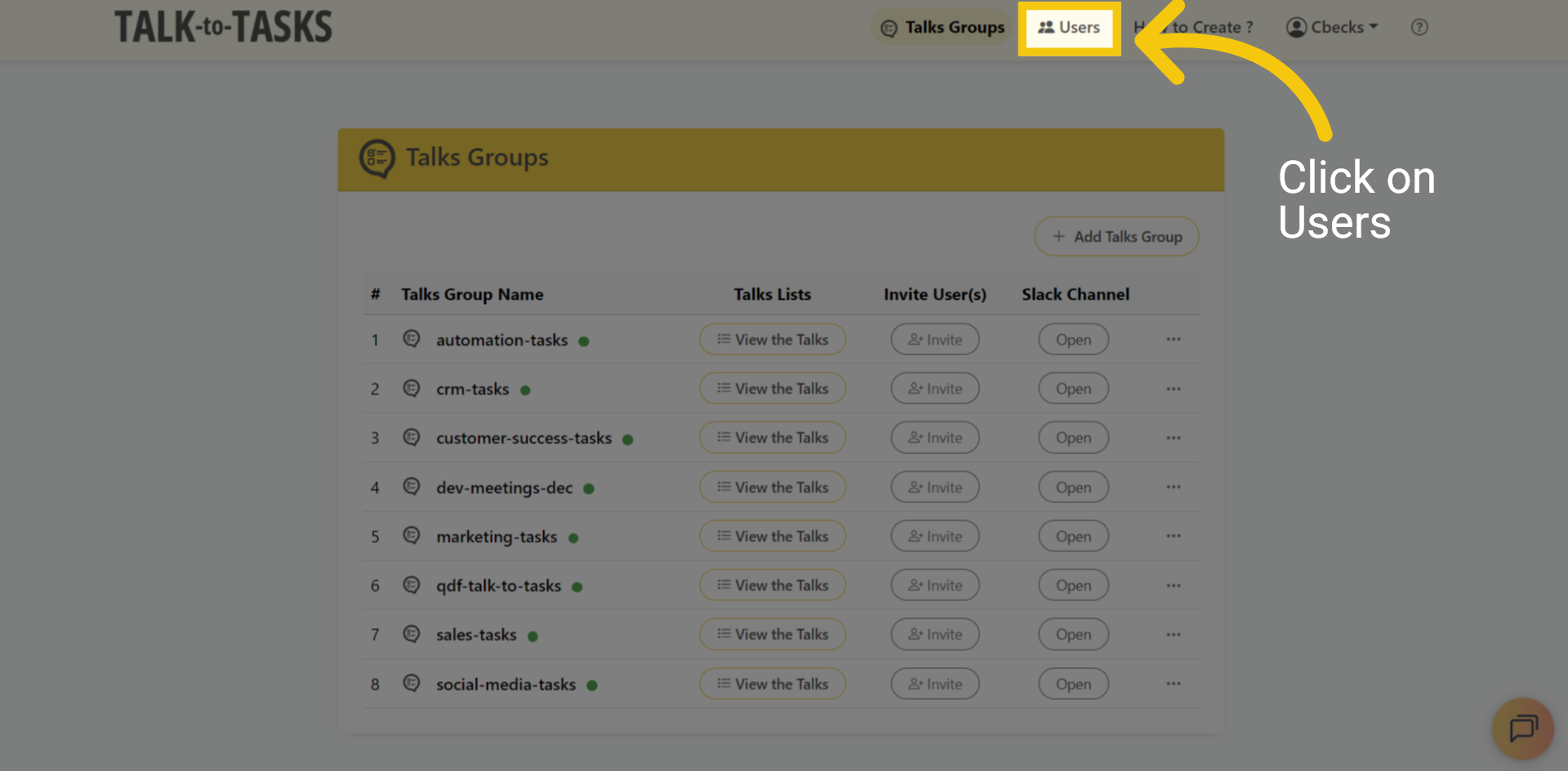
Manage Users

5 Add Users

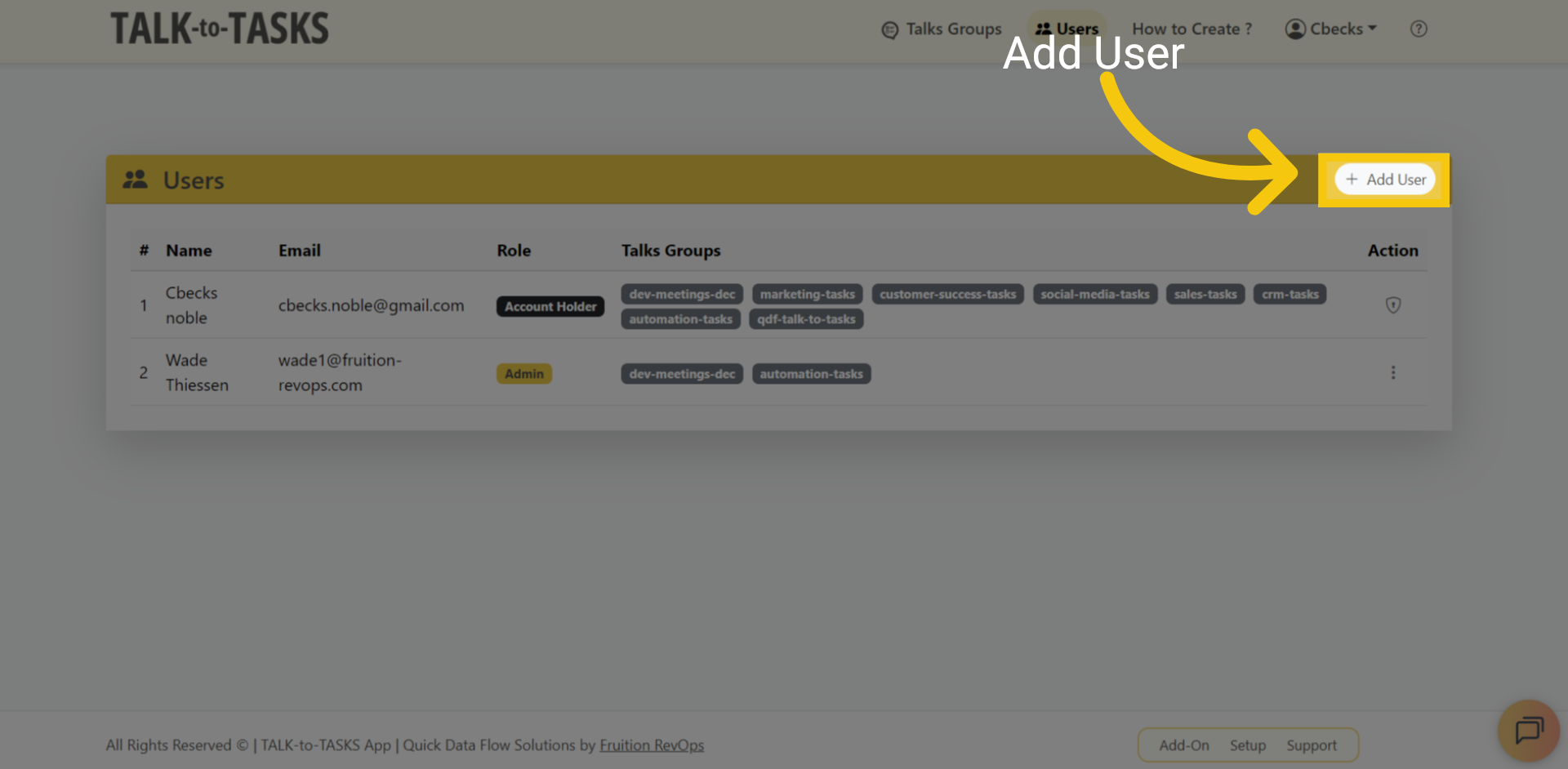
Click "Add User" to create a new user.
Add Users

6 User Info

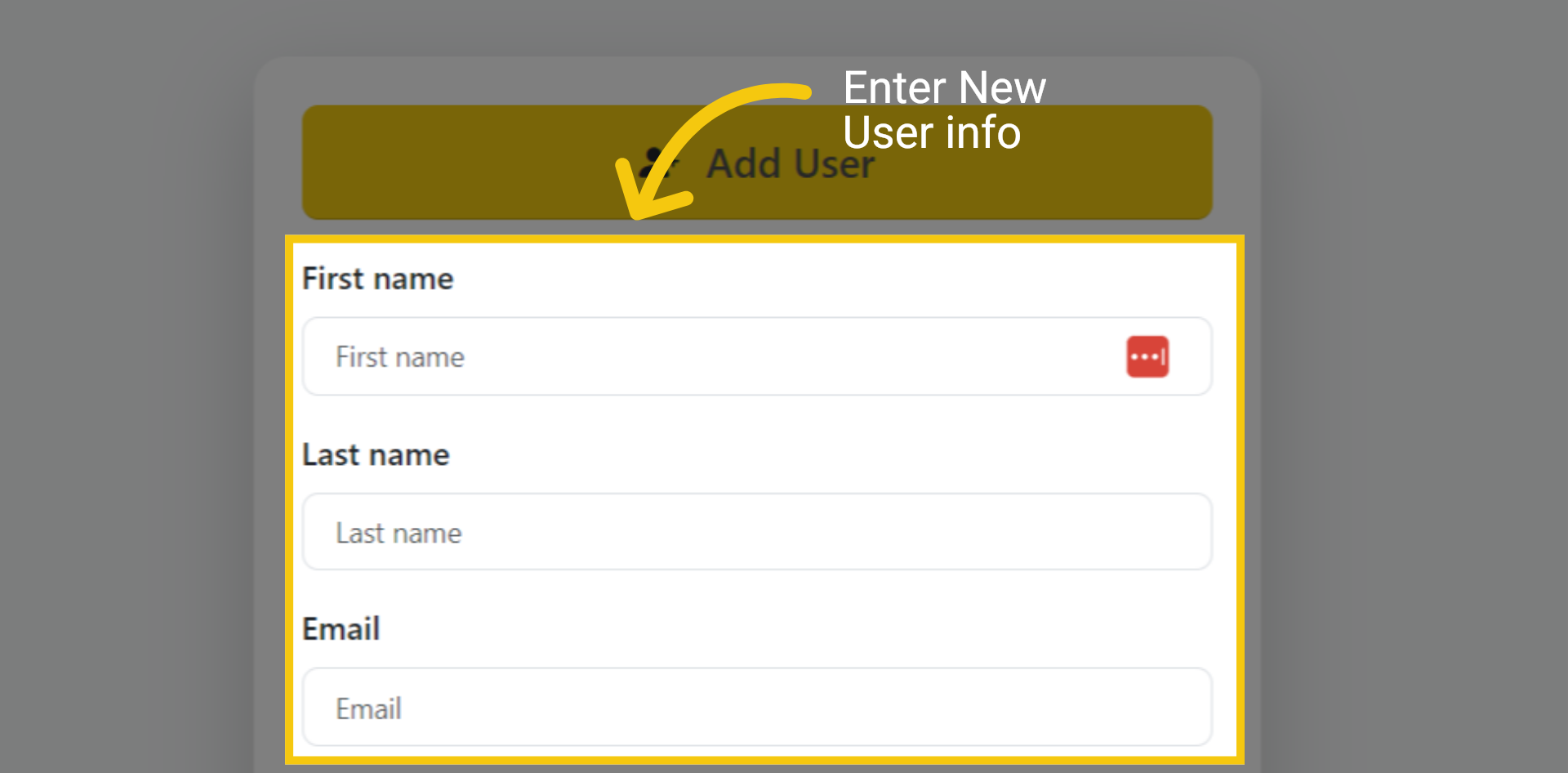
Please enter the new user's information, including their first name, last name, and email address.
User Info

7 Group and Role Access

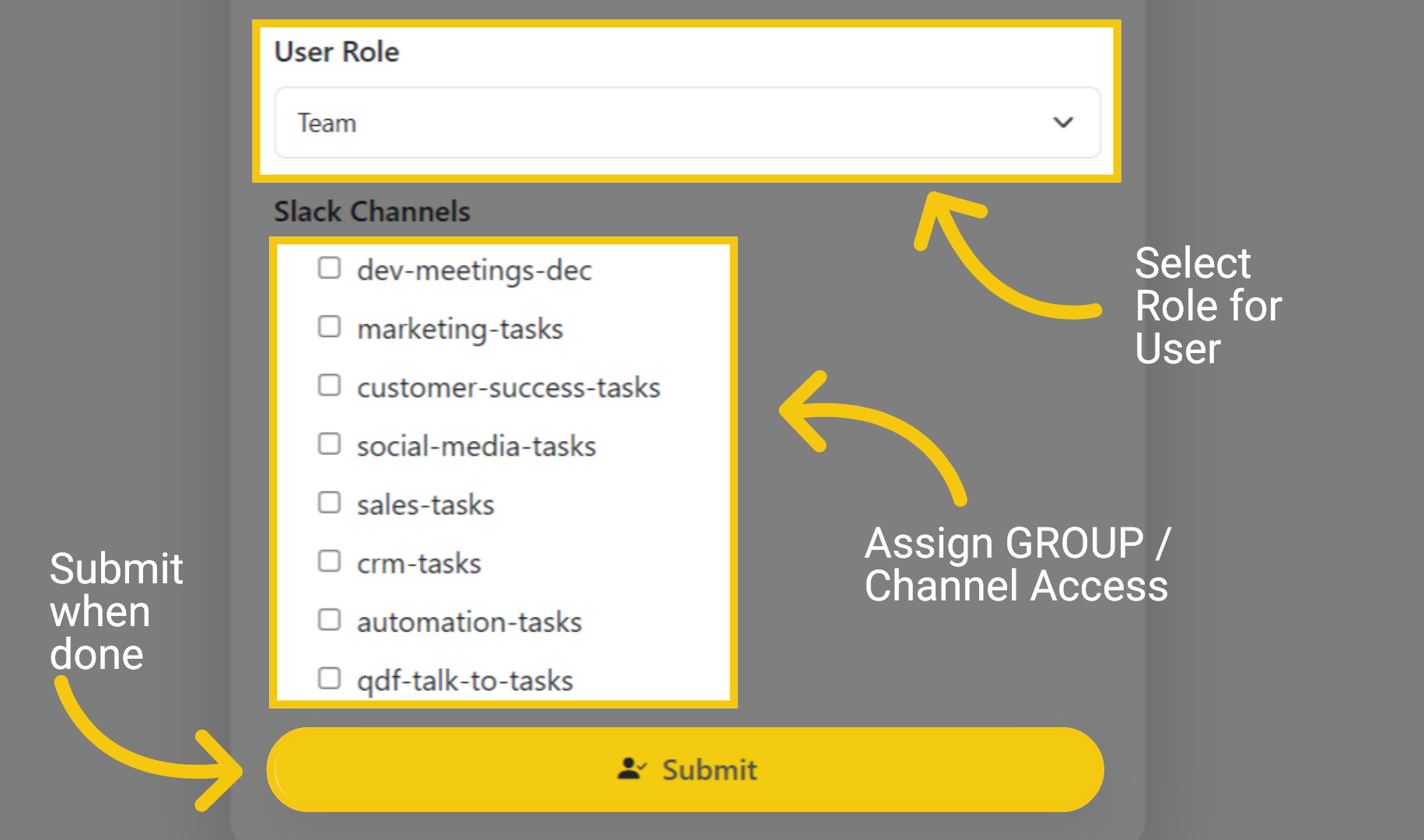
Select a user role and assign the Slack channels or talk groups they will have access to. Click Submit when done.
Group and Role Access

8 Add or Edit Users

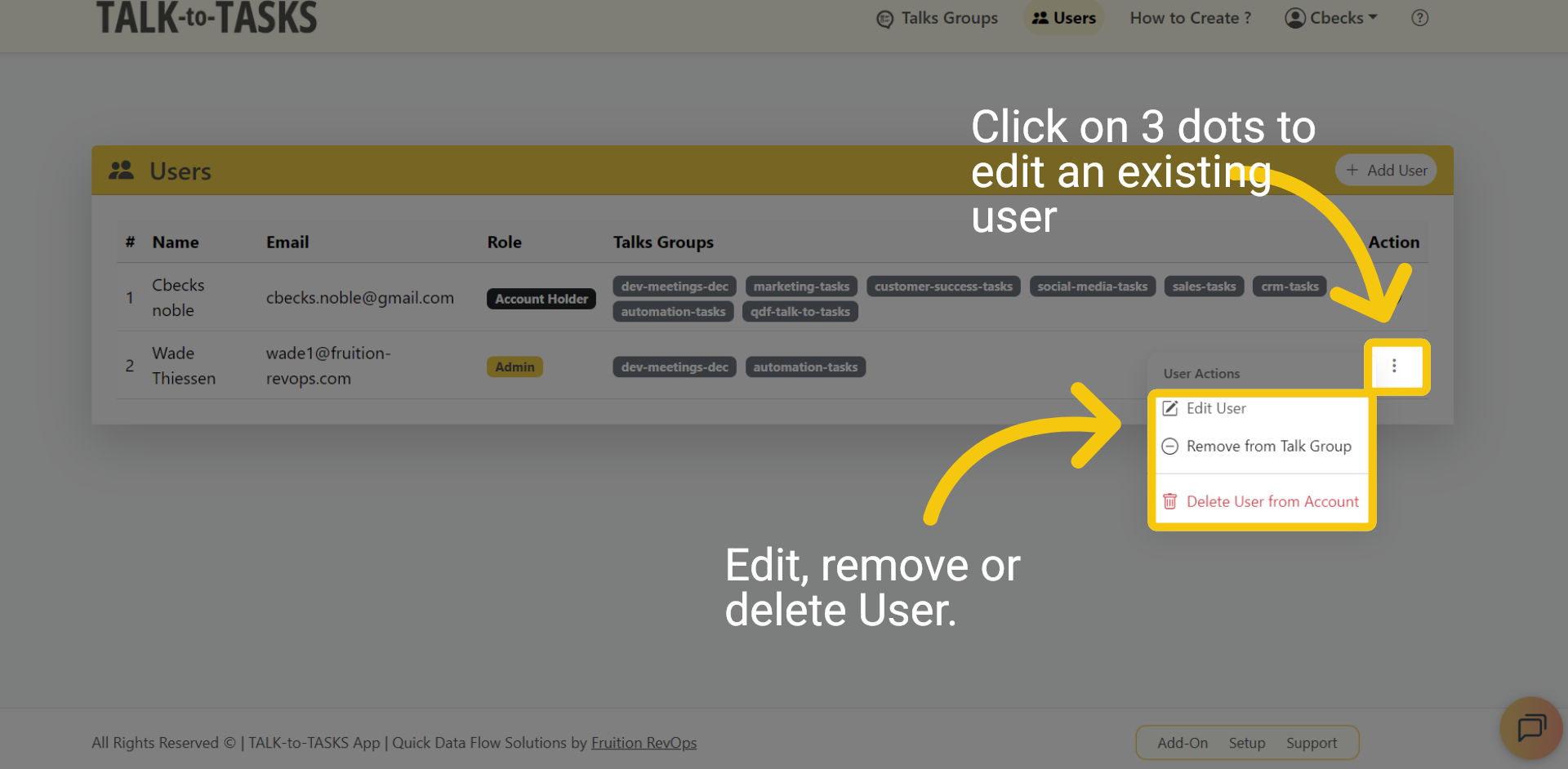
Click the three dots to access options for deleting, editing, or removing an existing user from a group/channel.
Add or Edit Users

9 Thank you

In this guide, you learned how to manage users. Thank you for watching.
Thank you
 Dashboard

Schedule a Time with our Expert!

— Fill out the Form and let's meet —

Fill out the form below to book your meeting to get your HubSpot Audit Report.

Schedule a meeting
Your HubSpot Onboarding Plan.

** Schedule to have you High level plan for free.

Funnel Types List

Register and Get the Funnel List type

Provide you with a complete overview of the type of funnel and how to manage it. 

JOIN OUR LIVE EVENT!

Wednesday, October 18th
10AM (PST)

Webinar Topic: Fix the Leak with Streamline Your Revenue Path with RevOps Funnels. 
How to seamlessly guide prospects through your company’s journey,

  1. Utilize the Funnels in Revenue Operations
  2. How to Prevent Bleeding Prospects and Customers in Your Company’s Journey
  3. How to Automate the Process for Enhanced Efficiency

RevOps Knowledge Sharing!

Fill out the form below, and blogs, videos and content will come directly to your inbox.